Creating AI-built tools for everyday people.
If I have an idea, I open Claude Code and start building it. With Claude and OpenAI's Codex I've built a client app that handles health information, tools for my hospital IT job, and custom development tools for the Unity engine. Along the way I built my own setup: agents working side by side, skills I wrote for them, and tests that check what they produce.
The Body Reflex is a real fitness studio and a real client. The people and health details inside its app are test data. No patient or hospital information appears.
How I build with AI
Project setup
Before any code, I write unique instructional files (.md) that agents read first: rules, project layout and tests to run.
Code agent
Claude Code asks clarifying questions first, then builds each feature in the real codebase, following those files.
Checks
The agent tests its own work and shows that the change does what was asked.
My review
I approve it or send it back. Nothing destructive runs without my sign-off.
A companion app for The Body Reflex
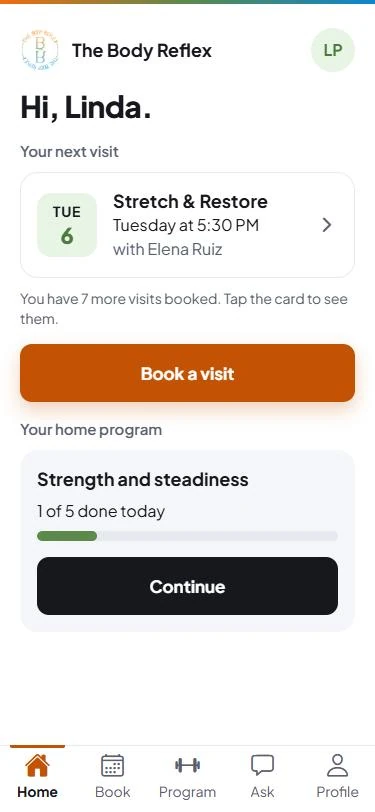
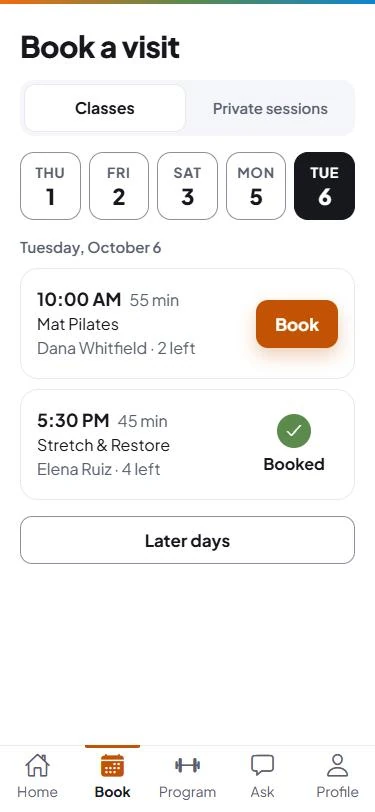
A two-sided app for The Body Reflex Fitness & Wellness, a Pilates and fitness studio in Stamford, CT. Clients use it on their phone to fill in their health form, book visits, follow the home program their trainer set, and ask questions about classes and prices. Staff get a dashboard with each client's record, an AI summary of the health form, session notes, and messages from the studio's website. It goes live in November 2026.

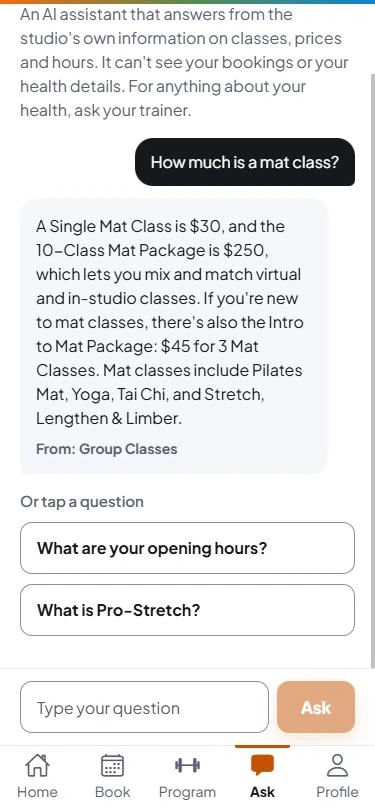
The assistant answers routine questions, with the source.
Clients ask about classes, prices and hours. The assistant answers only from the studio's own published content and names the page the answer came from.
Everything a trainer needs in one place.
The staff dashboard shows each client's health form with its AI summary, session notes, the home program their trainer wrote, and how effort and pain are trending for each exercise.
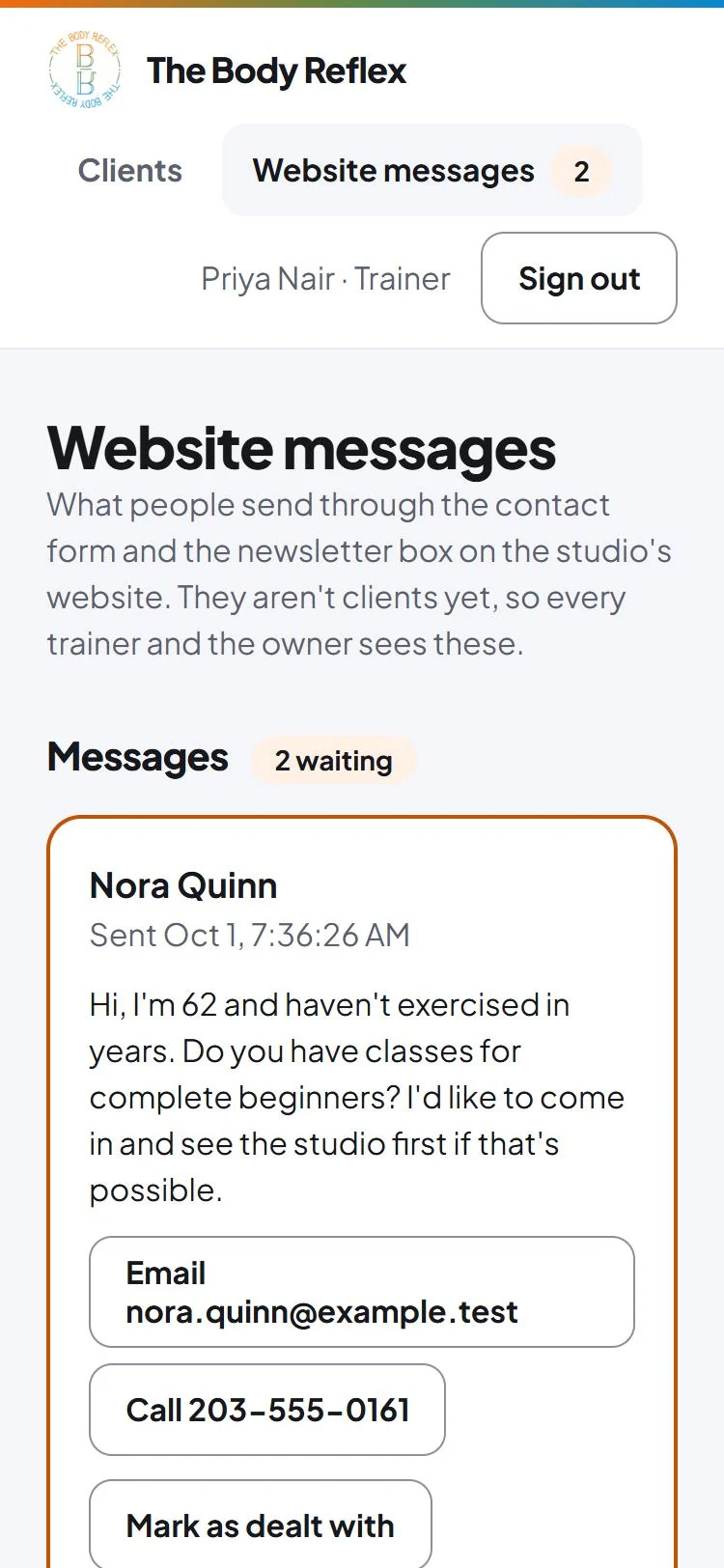
Website enquiries land where staff already look.
Contact-form messages and newsletter sign-ups from the studio's website show up on one page for every trainer and the owner.
Private health information stays private
The AI never learns who the client is.
It receives health answers with an age in place of the birth date and no name, and nothing at all unless the client has agreed. If a client withdraws that agreement, what the AI wrote about them is deleted.
Every look at a health record is written down.
Health forms are encrypted. Reading one always leaves a record of who read it and when, including attempts that were refused.
Staff see only their own clients.
The database enforces who can see what, so a mistake in the app can't expose someone else's records. 179 automated tests check it, including ones that sign in as the wrong person and confirm they are refused.
Bringing AI into my day job
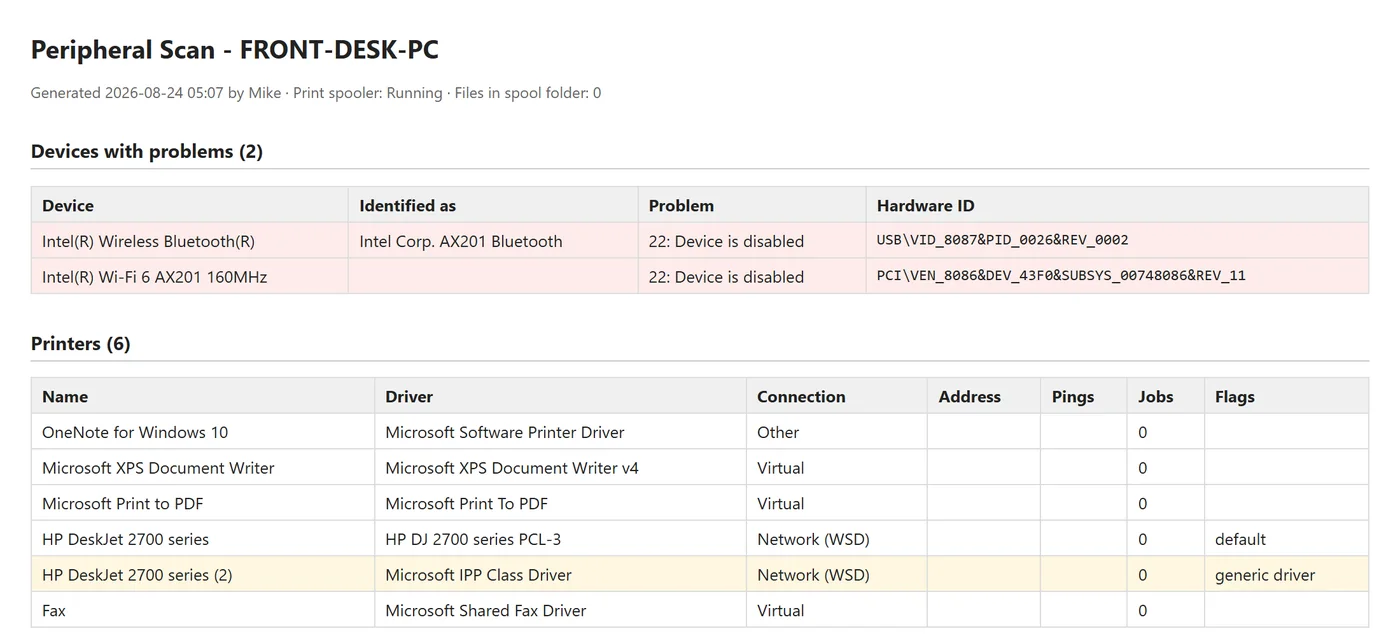
Smaller tools I built between tickets to help with day-to-day tasks.
-
Disk Space Cleanup
Low-storage tickets kept coming up, each with the same manual steps. This tool runs them in order, protects logged-in users and shared clinical accounts, and logs the space freed per item for the ticket notes. I use it at work.
Command Prompt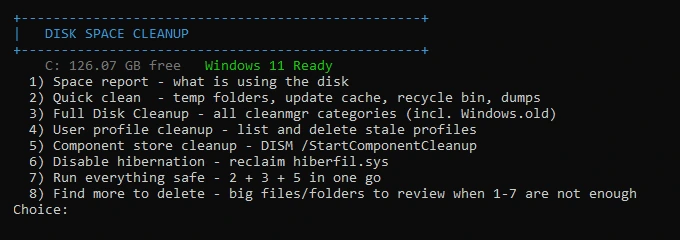
-
Driver Search & Install
It scans a PC's devices and offers fixes for common problems while writing a ticket-ready report.
Command Prompt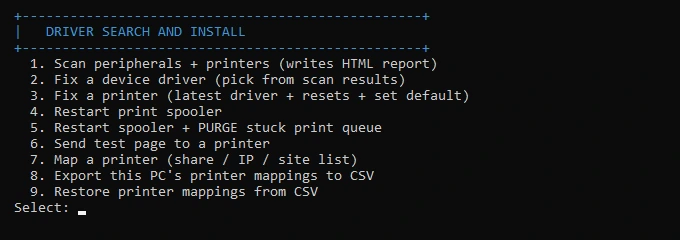
Hospital Wayfinder
Hospitals are confusing to get around, and ours had no floor map that was easy to pull up. I built a tool that takes the partial floor maps from AeroScout and stitches them into searchable maps with directions. I used it daily in my first weeks while learning the buildings.
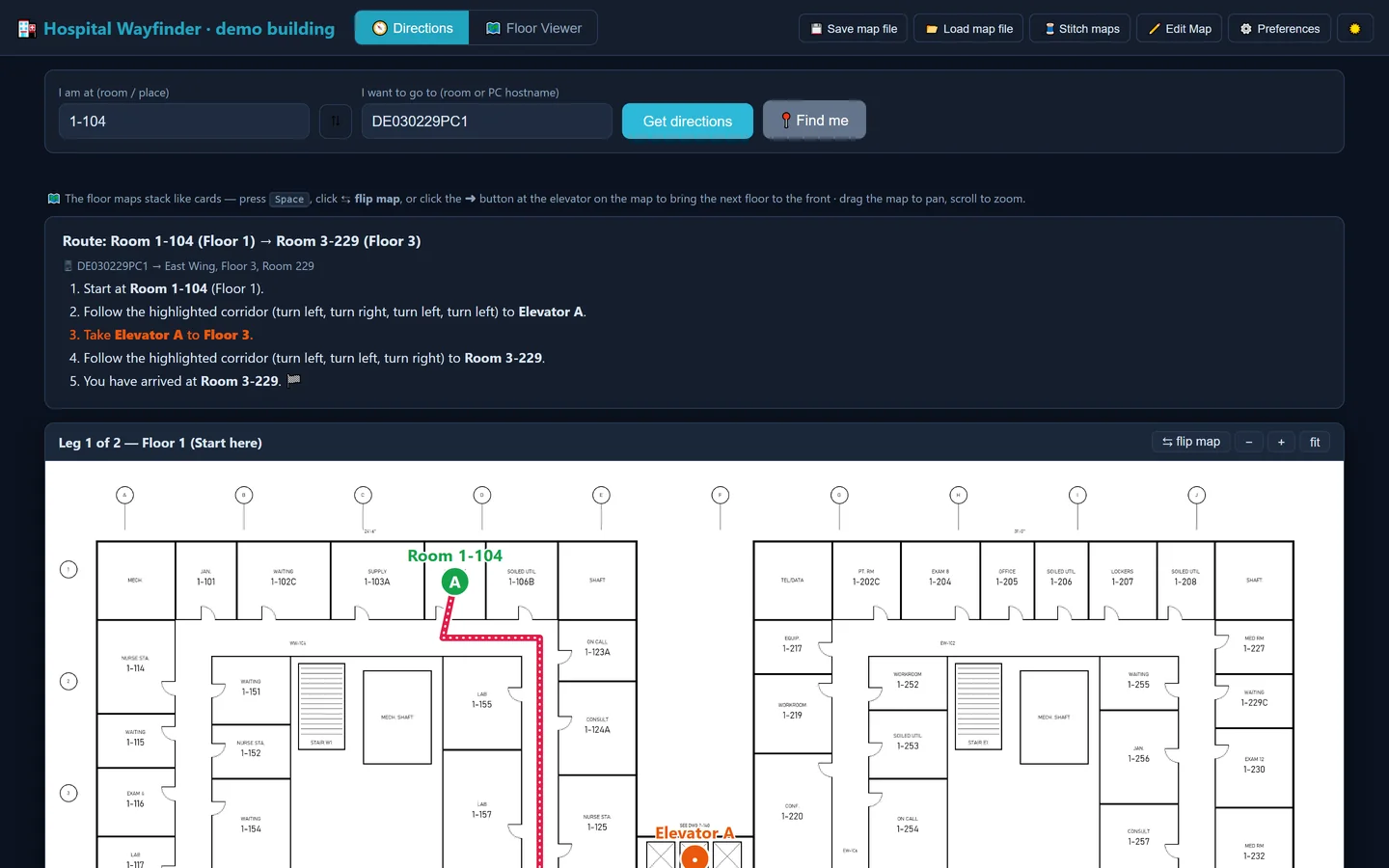
Type a room, get a route.
Enter a room number or a PC's name and it gives step-by-step directions across floors, including which elevator to take.
It reads the room numbers itself.
The tool reads the labels off the drawings instead of someone typing them in, about 2,500 so far, and ignores drawing codes and measurements.
Nothing to install.
It runs as a single file on locked-down hospital PCs. Every floor is mapped and labelled. Routes work where corridors have been traced, which is only part of the campus so far.
Off-the-clock development
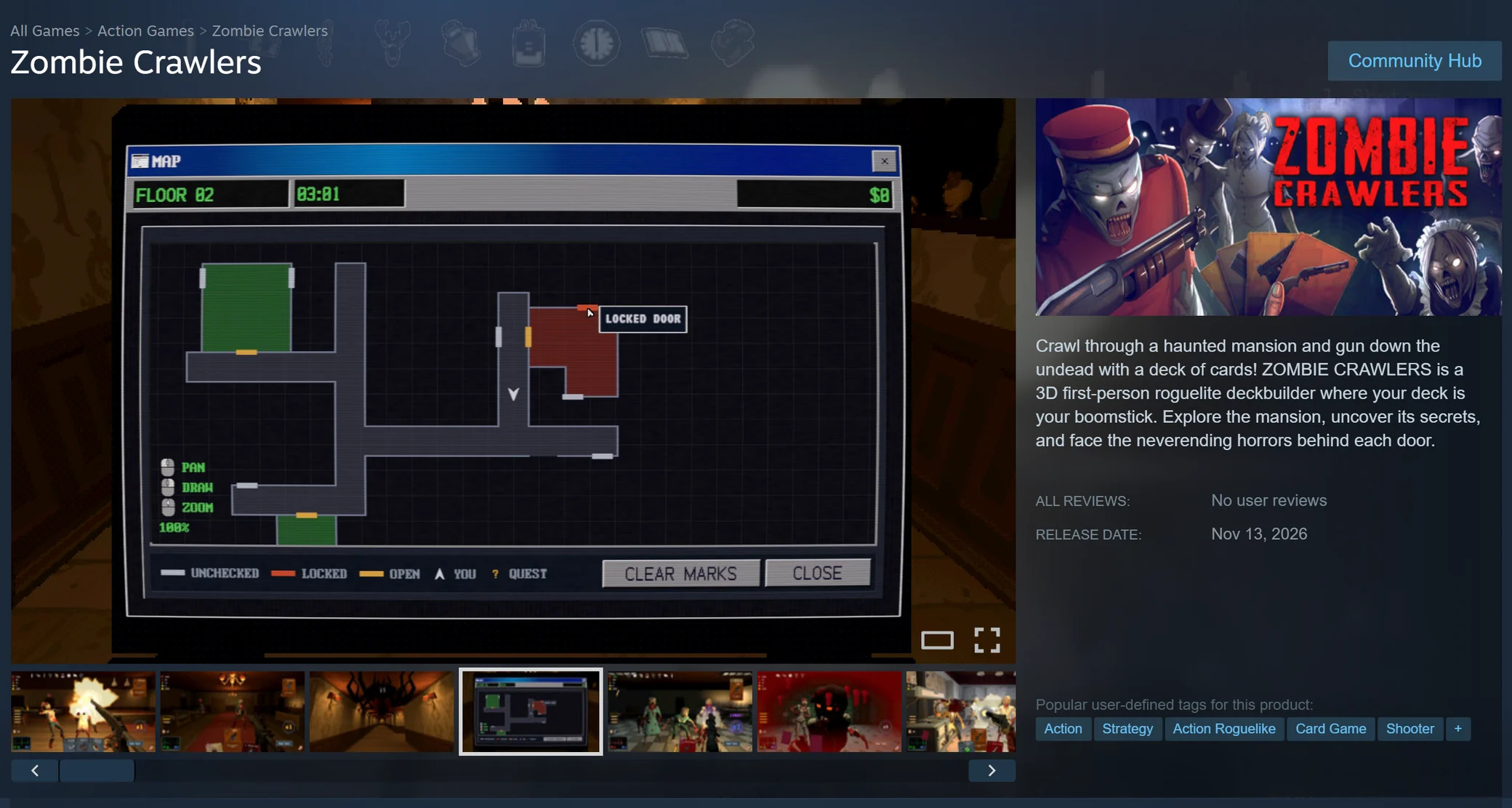
Outside work I use AI to help me create games in the Unity engine, from timed game jam entries to a full Steam release.
We built a feedback loop from players to AI agents.
A feedback window inside the game sends player reports to an agent skill that gathers them into one dashboard. Our agents then work through the fixes.
The command line connects agents straight to the tools.
Agents drive the open Unity editor through its command line (CLI), about 140 commands, so they place objects, run tests and take screenshots themselves instead of hand-editing files.
Happy to show any of this working.
I can walk you through the app, the tests or the tools on a call or in person.