Mike Pace · AI and automation
I build with AI every day: apps, tools and games.
I like finding out what a new AI tool can do, then putting it to work. With Claude and OpenAI's Codex I've built a client app that handles health information, tools for my hospital IT job, and games in Unity. Along the way I built my own setup: agents working side by side, skills I wrote for them, and tests that check what they produce.
I work in desktop support at a hospital, and I built the app below for a fitness studio in Stamford, CT.
01 Method
How I build with AI
Agents write most of the code. I decide what gets built, write the rules they follow, and review the work before it lands. Every project below was built this way.
The pipeline
Project setup
Before any code, I write the instruction files (.md) agents read first: rules, project layout and tests to run.
Code agent
Builds each feature in the real codebase with Claude Code, following those files.
Checks
Runs the tests for every system it touched and looks at screenshots of the result.
My review
I approve it or send it back. Nothing destructive runs without my sign-off.
What makes it work
Several agents at once
Claude Code and OpenAI Codex work in parallel, and neither edits the other's files.
Custom skills
Procedures agents load on demand, such as driving a live game editor.
Memory between sessions
About 60 notes carry decisions and dead ends forward, so agents don't repeat mistakes.
Written rules
Fail loudly. One source of truth. No secrets in the repo. User text is data, not instructions.
Evals for AI features
Each AI feature in the app below is scored against an answer key I checked by hand.
A reusable starter pack
Those files, the test procedure and scripts are a template that has started two new projects.
02 AI for the people who help clients
Summaries, intake and answers
For The Body Reflex, a Pilates and fitness studio in Stamford where I worked for over a year, I built a client app and a staff dashboard. Clients share health information when they join, and the studio's booking system doesn't help staff review it. The app is built and working on made-up data, and is not yet in use.
A summary of each new health form
Case summarization and intake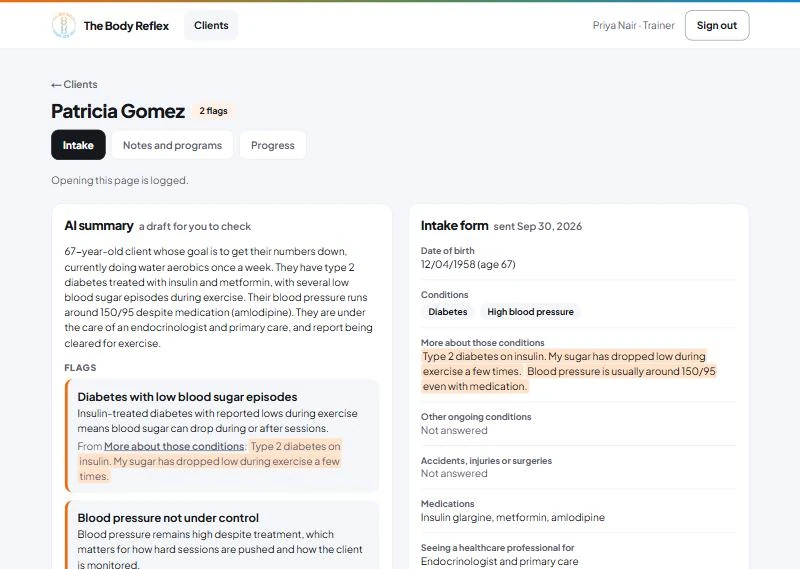
How it works
It saves reading time without replacing the reader.
A trainer gets a short summary and a list of health flags for each new client. The summary is labelled as a draft to check, and the full form is always beside it.
Every flag has to show its source.
Each flag must quote the client's own words. If the quote isn't in the form, the flag is thrown away before anyone sees it.
Measured: 60 of 60.
Across 48 test runs it caught every health flag it should have, and flagged no healthy client. Each summary takes about 7 seconds and costs about 2 cents.
The client app, with an assistant built in
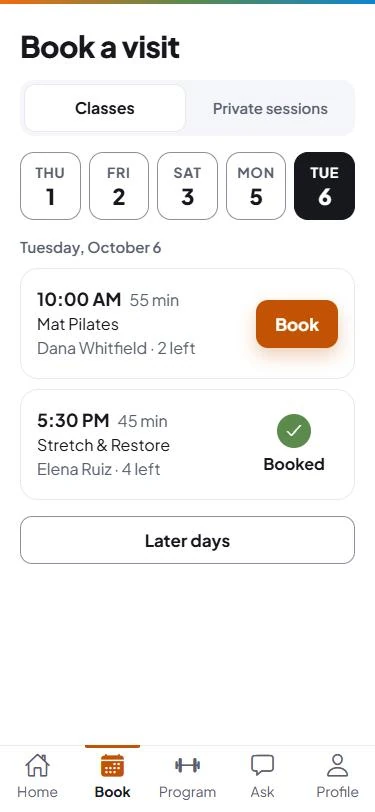
Information retrieval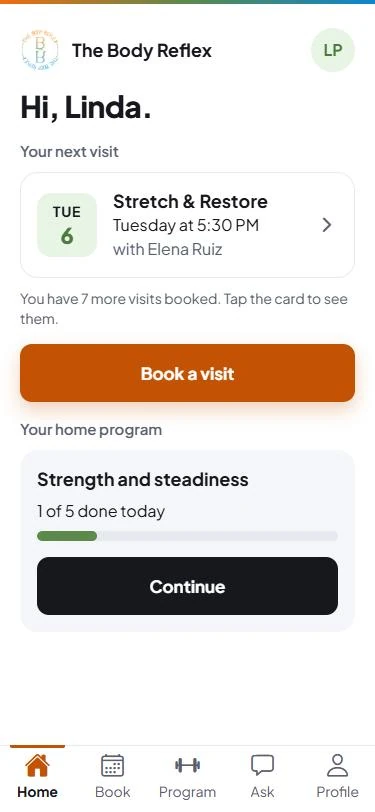
How it works
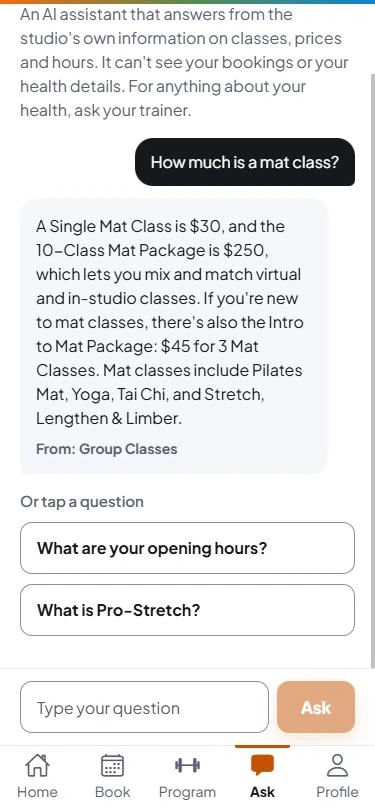
The assistant answers routine questions, with the source.
Clients ask about classes, prices and hours. The assistant answers only from the studio's own published content and names the page the answer came from.
It knows when to hand over to a person.
Health questions are declined, with an offer to pass the question to the client's trainer.
A wrong price never reaches a client.
After the AI answers, the server checks every price, phone number and email against the studio's content. If one isn't there, the client is told to call the studio instead.
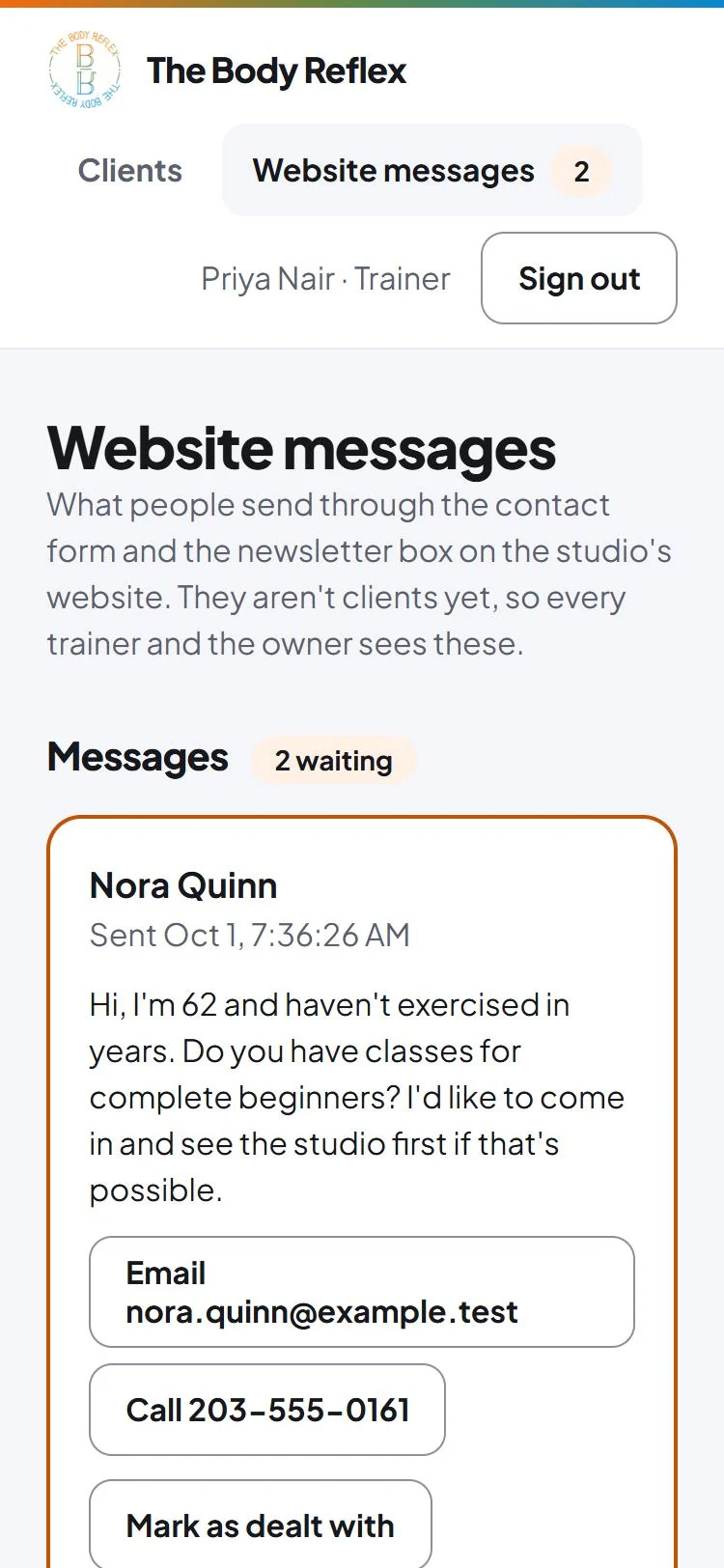
Website enquiries land where staff already look.
Contact-form messages and newsletter sign-ups from the studio's website show up on one page for every trainer and the owner, with a count in the header and a line in their “Needs your attention” list. It is tested with made-up messages; the live website isn't connected yet.
03 Keeping it responsible
Private health information stays private
I work in a hospital, so I treat health information as something a tool has to earn access to. These are the rules built into the studio app.
The rules
The AI never learns who the client is.
It receives health answers with an age in place of the birth date and no name, and nothing at all unless the client has agreed. If a client withdraws that agreement, what the AI wrote about them is deleted.
Every look at a health record is written down.
Health forms are encrypted. Reading one always leaves a record of who read it and when, including attempts that were refused.
Staff see only their own clients.
The database enforces who can see what, so a mistake in the app can't expose someone else's records. 179 automated tests check it, including ones that sign in as the wrong person and confirm they are refused.
Built on made-up data.
Every client and health detail used to build and test it is invented. No real client's information has been near it.
04 Quick wins
Repeated work, automated
Smaller tools I built after noticing the same manual task coming up again and again.
Repeat fixes on a hospital help desk
Built for my own tickets. No patient data.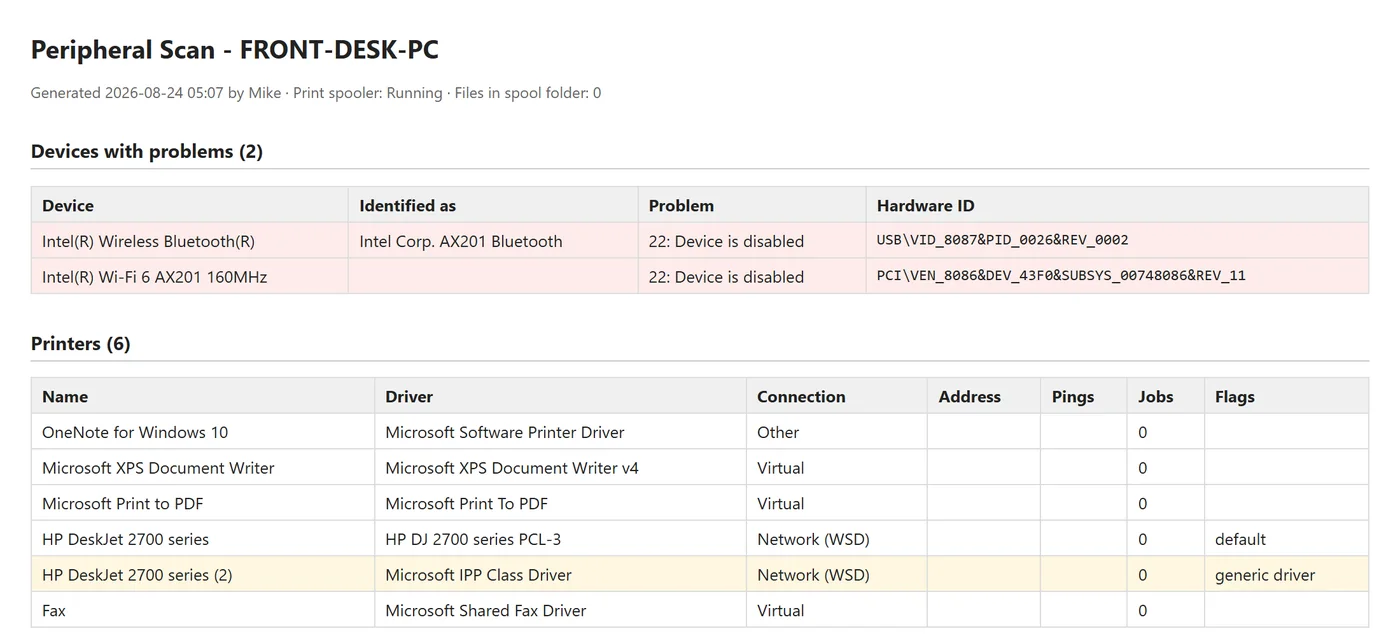
-
Disk Space Cleanup
Low-storage tickets kept coming up, each with the same manual steps. This tool runs them in order, protects logged-in users and shared clinical accounts, and logs the space freed per item for the ticket notes. I use it at work.
Command Prompt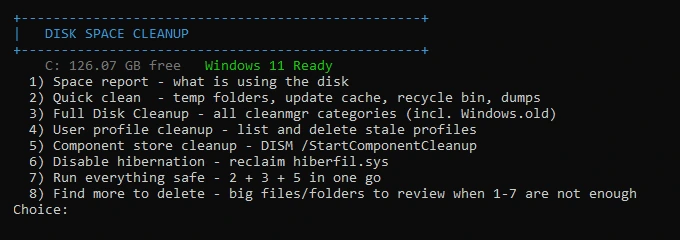
-
Driver Search & Install
It scans a PC's devices, explains each problem in plain English, works through seven fixes while asking before each change, and writes a report for the ticket. Built and tested at home; not yet used on hospital PCs.
Command Prompt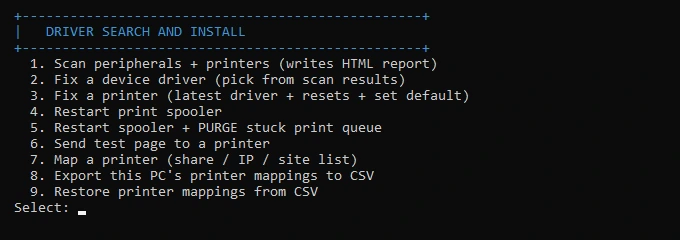
Hospital Wayfinder
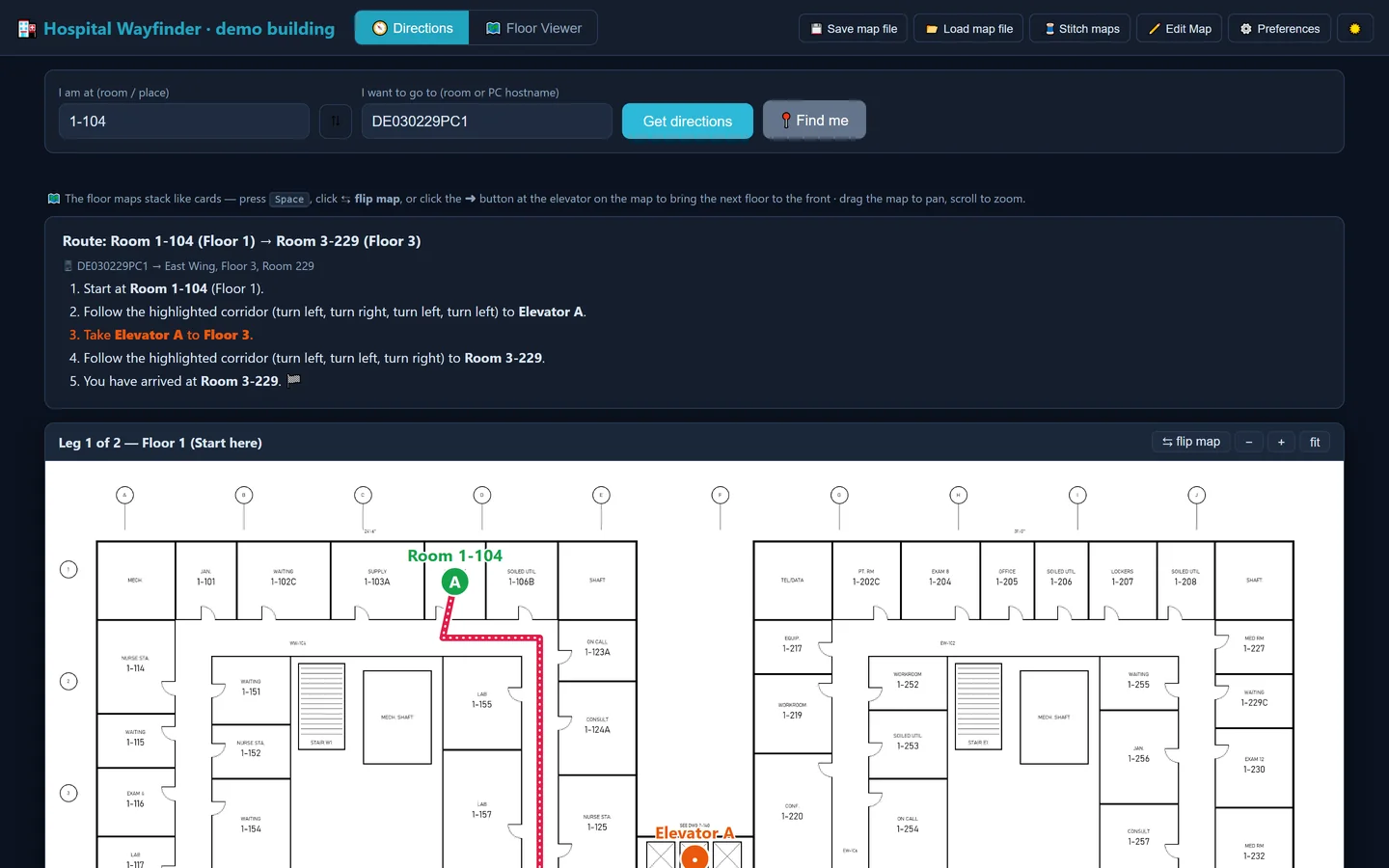
Built for my own use. Working prototype.Support tickets name a room or a PC, not a route, and the hospital's floor plans existed only as separate drawings for each wing. I built a tool that turns those drawings into searchable maps with directions, and used it daily in my first weeks while learning the buildings.
What it does
No patient data involved.
Type a room, get a route.
Enter a room number or a PC's name and it gives step-by-step directions across floors, including which elevator to take.
It reads the room numbers itself.
The tool reads the labels off the drawings instead of someone typing them in, about 2,500 so far, and ignores drawing codes and measurements.
It says when it's estimating.
If a room isn't on the map yet, it routes to the nearest numbered room and says so.
Nothing to install.
It runs as a single file on locked-down hospital PCs. Every floor is mapped and labelled. Routes work where corridors have been traced, which is only part of the campus so far.
I built all of this by directing AI coding tools, mainly Claude Code: I decide what to build, write the rules they follow, and review the work before it's used.
Each tool has a written guide. The studio app has a plain-language case study, a security write-up and notes on how each AI feature was tested. At the hospital I helped train the contractors who joined the team after me.
05 Off the clock
Off-the-clock development
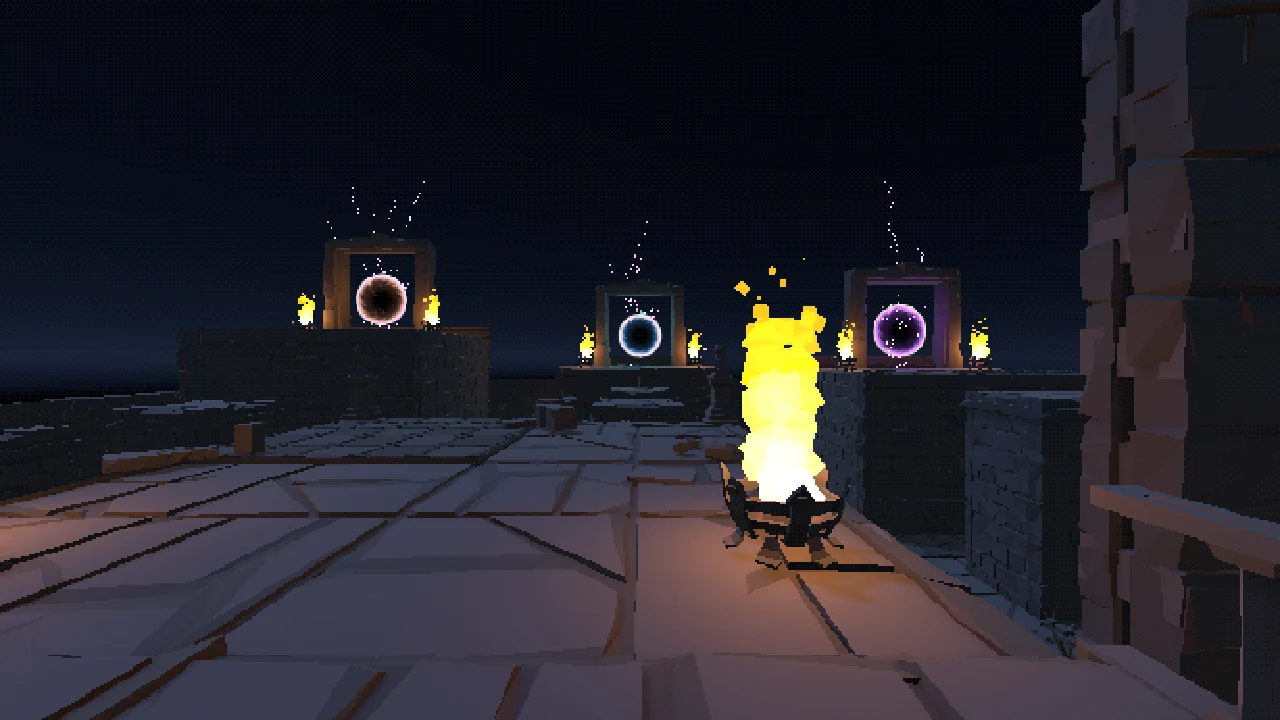
Outside work I make games in Unity: Zombie Crawlers, a roguelike deckbuilder in playtest on Steam that I co-develop on a two-person team, and two solo projects. What carries over from them is the setup we built to take the repetitive work out of making a game.
Written procedures that agents follow
Skills and instruction files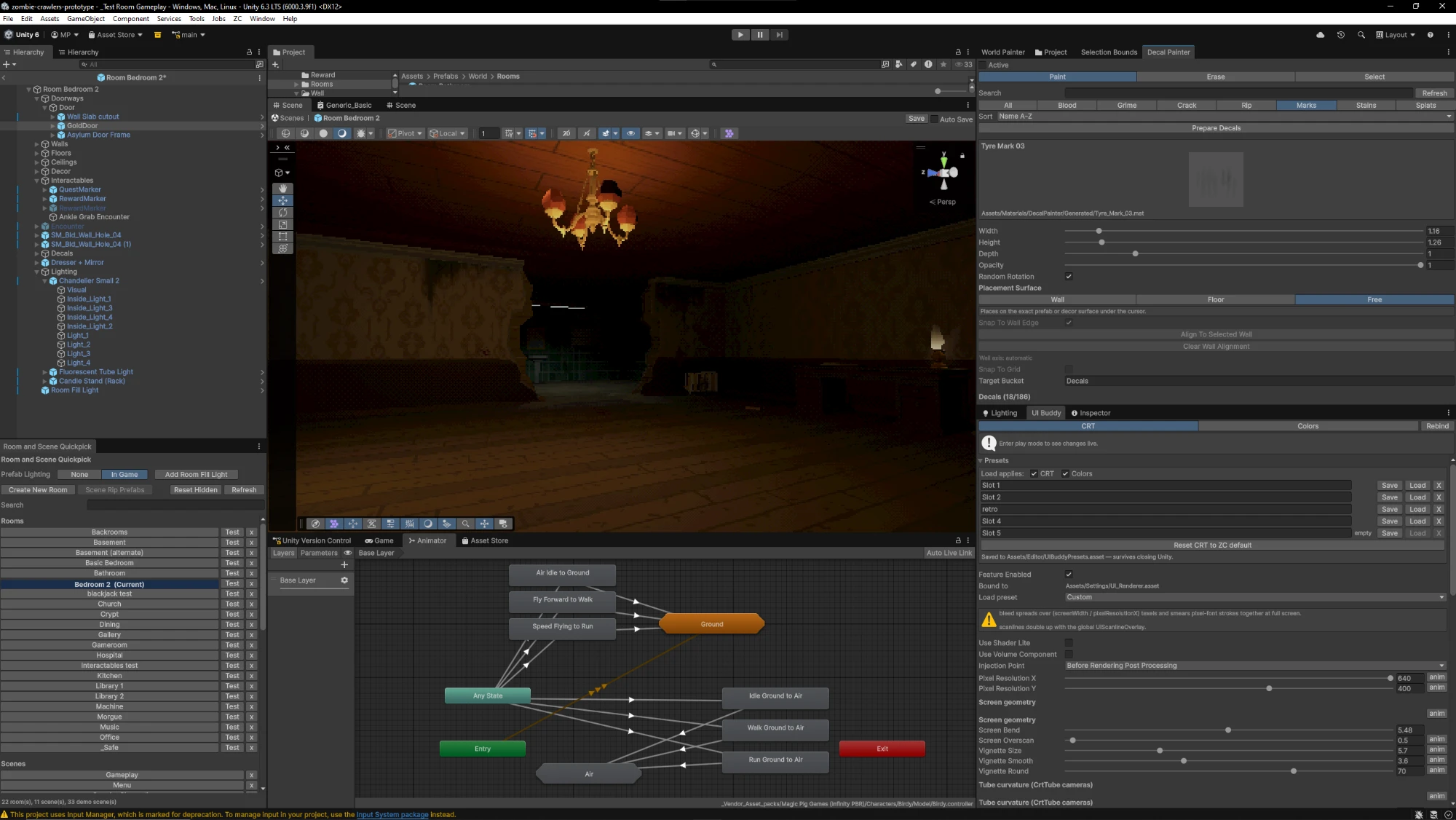
How they save time
An asset search that knows everything I own.
Ask for “a hanging chain” or “stone footstep sounds” and an agent finds it among about 160,000 assets across 70 packs, even packs never opened in Unity. It knows what every pack is good for, reuses what a project already has, and never invents a file.
Instructional skill files that improve themselves.
My skills learn on the job. After every run the room-decoration skill records what I approved and what I cut, then rewrites its own instructions and fixes its own helper scripts. Three rooms in, it works from about 240 lines of lessons, and feedback I give once sticks for good.
Instruction files give every session the same starting point.
Each project has plain-text rule files that agents read first: the rules, a map of the systems, and which tests to run for each. Nothing has to be explained twice. My solo projects start from a template of these files.
CLI and MCP connect agents straight to the tools.
Agents drive the open Unity editor through its command line (CLI), about 140 commands, so they place objects, run tests and take screenshots themselves instead of hand-editing files. Over MCP, the standard for plugging tools into AI agents, the code agent pulls designs straight from Claude Design.
Checks that run without me
A queue for shared work
Several agent sessions share one copy of the game editor. We built a queue that runs their tests in turn, so they don't break each other's runs.
A two-player test
On my multiplayer project, an agent builds the game, starts a host and a second player, and confirms each one sees the other.
Automated tests
Zombie Crawlers has about 1,670 automated tests, and agents run the ones that cover whatever they changed.
Screenshots as proof
Agents capture each screen as a player would see it and check the picture themselves before reporting a change as done.
Worked with
Across all my projects and my IT jobHappy to show any of this working.
I can walk you through the app, the tests or the tools on a call or in person.